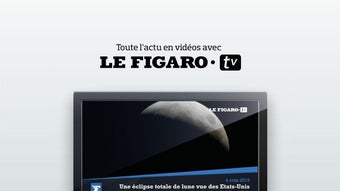

Download Le Figaro TV – news video app, latest news in video, real-time news, video news, political news, international news, economic news, sports news, cultural news, news app for Android
Overview
Le Figaro.TV - L’actu en vidéo is a multimedia Android application designed to deliver a dynamic, video-first experience of current events. Developed by Société du Figaro, the app focuses on providing users with a 100% video-based platform for staying informed on breaking news and trending topics. It serves as a digital companion for individuals who prefer visual content over text, particularly those seeking timely updates in politics, international affairs, economics, sports, and culture.
The app’s real-time updates and daily influx of over 100 new videos ensure that users remain connected to the most pressing global developments. With a curated "A la Une" playlist, users can quickly access the most significant stories of the day. The app also hosts a variety of specialized programs such as "Le Talk," "Le Buzz," "On ne parle que de ça," "L’E-prouvette," and "Tests Technos," offering diverse perspectives on current events.
Additionally, a "Flash Actu" section at the bottom of the screen delivers instant updates on unfolding news. The integration of voice commands allows for hands-free navigation, enabling users to search for specific topics and receive immediate video results. This makes the app particularly suitable for users who want a fast, immersive, and interactive way to consume news on the go.
Key Features & Capabilities
- Video-First News Delivery: The app prioritizes video content, offering a full-screen, uninterrupted viewing experience for current events across multiple categories including politics, international affairs, economics, sports, and culture.
- Real-Time Updates: With over 100 new videos published daily, users receive fresh content throughout the day, ensuring access to the latest developments as they happen.
- Curated "A la Une" Playlist: This feature highlights the most important stories of the day, allowing users to quickly identify and watch the most relevant videos without manual filtering.
- Diverse Programming: The app includes a range of specialized video series such as "Le Talk" for in-depth discussions, "Le Buzz" for trending topics, "On ne parle que de ça" for viral content, "L’E-prouvette" for tech experiments, and "Tests Technos" for product evaluations.
- Top Viewed Videos Playlist: Users can explore the most-watched videos on the web, offering insight into popular topics and public interest.
- Voice Command Search: Enables users to search for specific news topics using voice input, delivering instant video results and improving accessibility and navigation speed.
- Flash Actu Real-Time Alerts: A dedicated section at the bottom of the screen displays breaking news events in real time, ensuring users never miss critical updates.
User Interface, Workflow & Performance
The user interface of Le Figaro.TV is designed with a clean, media-centric layout optimized for mobile viewing. Navigation is structured around a central video feed, with category tabs and a dedicated search bar. The "A la Une" playlist appears prominently at the top, ensuring immediate access to top stories.
The app’s workflow emphasizes speed and simplicity: users can tap a video to start playback, swipe to navigate between clips, or use voice commands to search for topics. The integration of voice search streamlines the process of finding specific content without manual typing. The interface is responsive, with smooth transitions between screens and video playback.
However, exact performance details such as CPU or RAM usage were not specified by the developer. The app’s performance is expected to align with standard Android video applications, maintaining stable playback across different devices. Stability during extended use and background operation was not documented.
The developer did not provide additional system requirements or resource usage metrics. General software behavior patterns suggest that performance may vary depending on device hardware and network conditions.
Compatibility & System Requirements
Le Figaro.TV is available exclusively for Android devices. The current version is 1.2.1, released on January 10, 2024. The application has a download size of 100 MB, which is typical for a media-focused app with video content.
The developer did not specify exact system requirements, including minimum Android version or hardware specifications. Compatibility information is limited to the platform, indicating that the app is designed for Android smartphones and tablets. Users are advised to ensure their device meets standard Android requirements for running multimedia applications.
The developer did not provide details on supported screen sizes, processor architecture, or memory thresholds. For optimal performance, users may benefit from devices with stable internet connectivity and sufficient storage space for cached video content.
Pros and Cons
Pros
- Free to download and use with no subscription fees
- High volume of daily video content (over 100 new videos)
- Real-time news delivery with "Flash Actu" alerts
- Intuitive interface with voice command support
- Diverse programming lineup covering multiple interest areas
- Curated "A la Une" playlist for top stories
- Access to top viewed videos on the web
Cons
- No information provided on system requirements or compatibility beyond Android
- Performance and resource usage details were not disclosed
- App is limited to Android, with no availability on other platforms
- No offline mode or video download functionality mentioned
- Limited information on update frequency or maintenance schedule
FAQ Section
Is Le Figaro.TV available for iOS devices?
The app is currently available only for Android. No information is available regarding iOS compatibility or future releases on other platforms.
Is the app safe to download and use?
Le Figaro.TV is developed by Société du Figaro, a reputable media organization. The app is free and distributed through official Android channels. As with any app, users should ensure they download it from trusted sources to maintain security.
How often does the app update with new content?
The app publishes over 100 new videos per day, ensuring a constant stream of fresh content. Updates are likely to be frequent and real-time, reflecting breaking news and trending topics.
Does the app require an internet connection?
Yes, continuous internet access is required to stream videos and receive real-time news updates. The app does not appear to support offline viewing or video downloads.
What type of license does Le Figaro.TV use?
The app is free to use and distributed under a proprietary license. No open-source or public license details were provided by the developer.
Final Thoughts
Le Figaro.TV delivers a compelling, video-driven approach to news consumption, ideal for users who prefer visual storytelling and real-time updates. Its diverse programming, voice command integration, and real-time alerts make it a strong choice for staying informed on politics, international affairs, economics, sports, and culture. While the app lacks transparency around system requirements and offline functionality, its core strengths lie in content volume, accessibility, and ease of use.
The absence of a fee and the focus on timely, high-quality video content enhance its appeal. For Android users seeking a dynamic and immersive news experience, Le Figaro.TV offers a valuable tool. It stands out in the crowded news app market by prioritizing video and immediacy.
Download Le Figaro TV now.





.png)

